Lumyeye
Download

← Video library

Christophe's expert review of Lumyeye

A low-vision accessibility expert and trainer for 15 years, Christophe shares his hands-on review after several months of use and compares Lumyeye to VoiceOver, Seeing AI and Be My Eyes.

Transcript excerpt and context

Christophe is a low-vision accessibility expert. A trainer for 15 years, he supports blind and low-vision users every day in getting to grips with their digital tools. His take on Lumyeye is neither that of a beginner nor that of an end user: it's the analysis of a professional who has seen every solution on the market come and go.

In this video, Christophe delivers a structured comparative review of Lumyeye against the reference solutions: native VoiceOver (built into iOS), Seeing AI (Microsoft), Be My Eyes (human assistance on demand). Criteria covered: ergonomics, speed, real-world AI reliability, VoiceOver compatibility for those who want to layer tools.

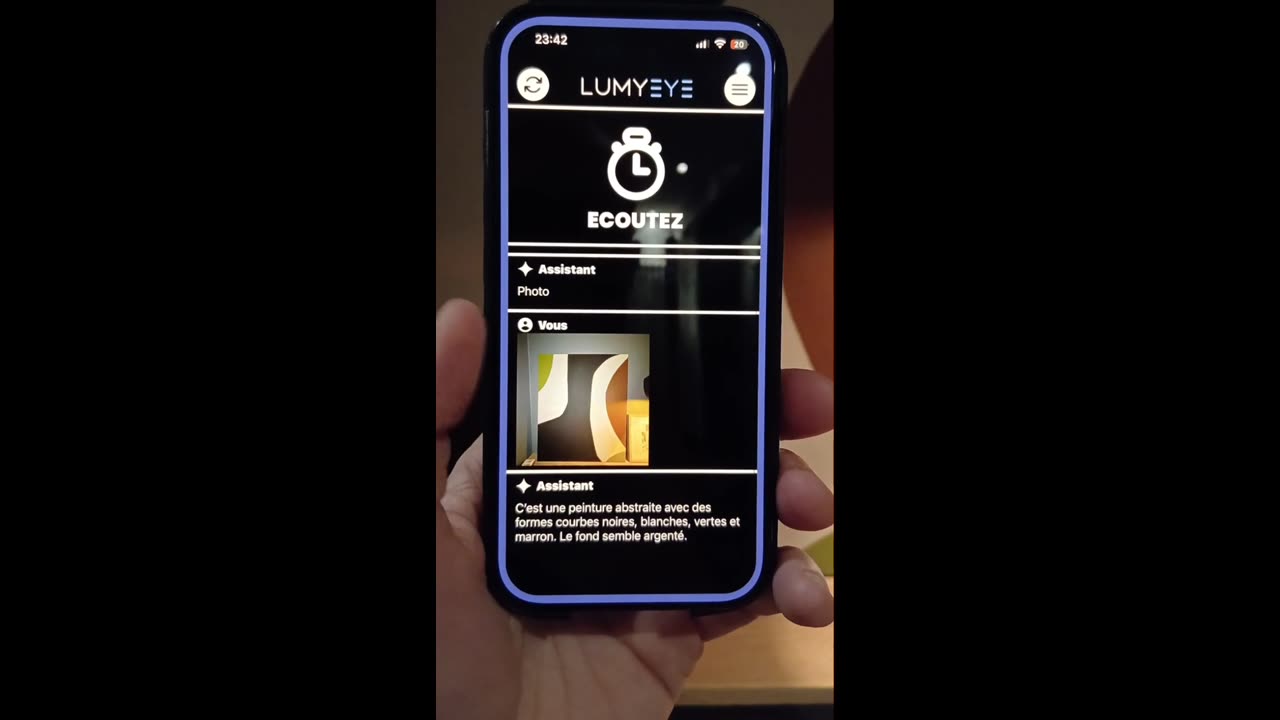
Christophe's verdict: "Lumyeye stands out for its menu-less philosophy, which significantly reduces cognitive load. For someone discovering voice assistance, it's the shortest path between intent and information." He recommends Lumyeye to users who want an immediate voice experience without having to relearn the grammar of VoiceOver.

Christophe also highlights a point that matters to trainers: the exceptional VoiceOver integration. "Months of work visible from the first use," he notes. Lumyeye Pro does not compete with VoiceOver — it sits on top, cleanly. The user can keep VoiceOver for highly technical tasks and switch to Lumyeye's warm natural voice for daily life — best of both worlds, no autonomy lost.

Frequently asked questions

About Christophe's expert review.

Who is Christophe and what is his background?

Christophe is a low-vision accessibility expert with 15 years of experience and a certified trainer for visually impaired users. With a degree in cognitive ergonomics, he works with patient associations (FAF, Voir Ensemble), disability assessment offices (MDPH) and visual rehabilitation centers. He has been testing and comparing assistive solutions since 2010.

Was he paid by Lumyeye for this review?

No. Christophe agreed to share his review on camera without any financial compensation. His approach is part of professional monitoring: he regularly evaluates new accessibility solutions for his training sessions with associations and disability agencies.

Is Lumyeye recognized as an approved assistive device?

Lumyeye is not listed on the French LPPR (national list of reimbursable products) as of today. However, some MDPH offices accept to fund the annual subscription via the PCH (disability compensation allowance) within the assistive technology budget. A request should be initiated with an occupational therapist trainer. US/UK readers: similar coverage may be available through Vocational Rehabilitation programs, the VA, NHS Access to Work, or private insurance under durable medical equipment.

What methodological advice does Christophe give?

Christophe recommends: (1) installing Lumyeye with a trainer present during the first 2 weeks, (2) not trying to replace VoiceOver but to complement it, (3) following a protocol of 5 priority use cases before broadening, (4) doing a 3-month review with your occupational therapist to fine-tune settings.

Testimonial

"Christophe trained me on Lumyeye in April. His 5-priority-use-cases method changed everything. I wasn't lost in 50 features — I mastered the 5 that mattered to me. Three months later, I use it every day in my practice to explain it to patients."

- Hélène, 60 · Paris · Occupational therapist (came in on Christophe's recommendation)

Practical advice

Get the best out of this feature.

  1. 1
    See a low-vision occupational therapist Before investing, ask your ophthalmologist for a referral to an occupational therapist trained in low vision. An initial consultation (often covered by insurance) helps assess whether Lumyeye fits your profile and needs.
  2. 2
    Ask for a structured initial training Christophe recommends 2 to 4 training sessions in-person or by video. This considerably speeds up adoption and avoids configuration mistakes. Several associations offer this training free of charge to their members.
  3. 3
    Plan a 3-month review Three months after installing, go back to your occupational therapist. Objective review: which functions do you actually use? Which settings to fine-tune? Which other assistive tools to combine? This follow-up prevents premature drop-off.
  4. 4
    Stay current with updates Lumyeye ships a monthly update. Christophe recommends opening the app at least once a week to check what's new and to adjust settings. What didn't work in January may very well work in May.

Try Lumyeye.

Lumyeye Classic on iOS and Android. Lumyeye Pro on iPhone. Free trial, no credit card required.

Download Lumyeye See all demos