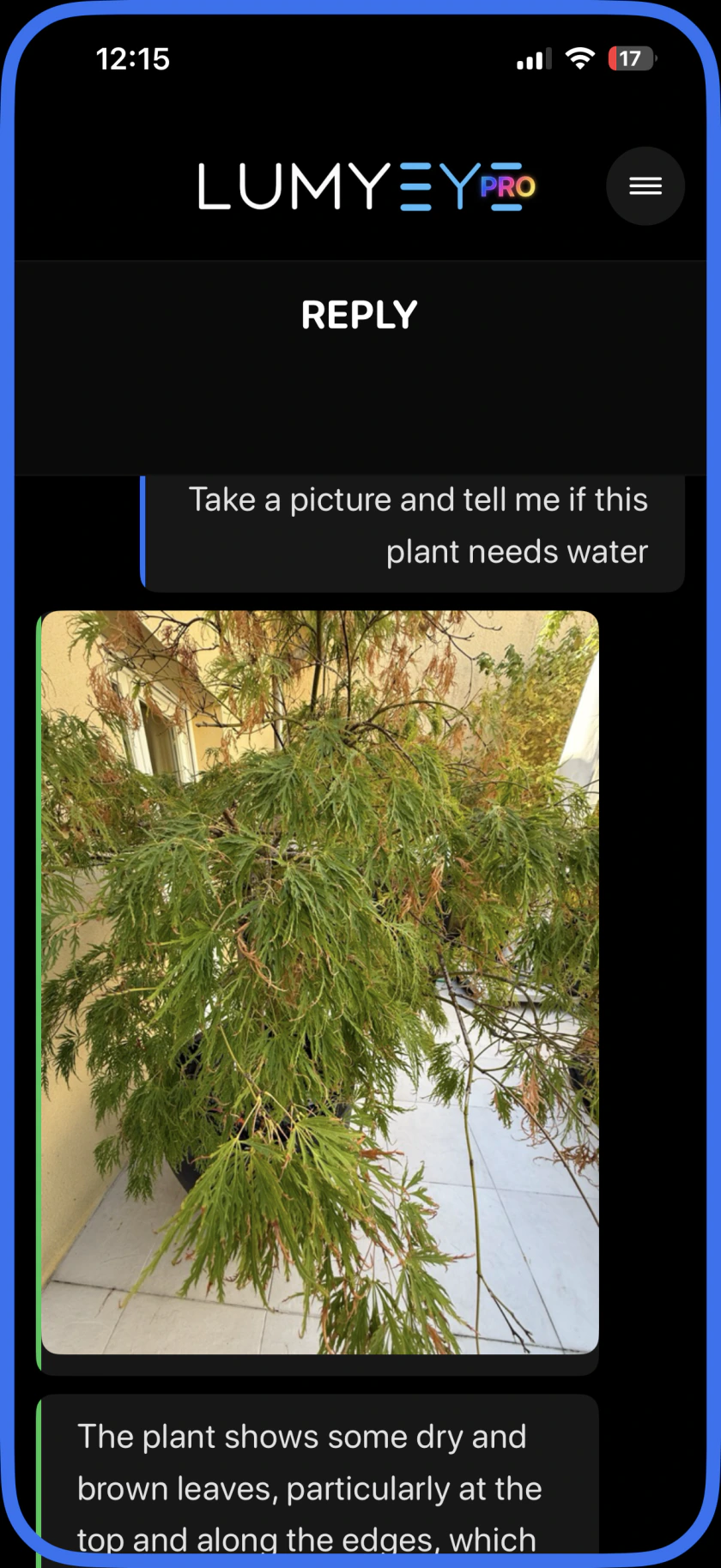
Lumyeye Pro

Tap. Speak. Listen. Lumyeye Pro. More independence,
from morning to night.

Your voice AI assistant for blind and low vision users.
Read, scan, find, call and organize your day. All in one app.

For iPhone and Android · No credit card needed

★ Pro · 5/5 · App Store FR Made in France VoiceOver & TalkBack Natural voice
Explore all the everyday tools

See Pro in everyday life.

Two real examples, from a question to the next step.

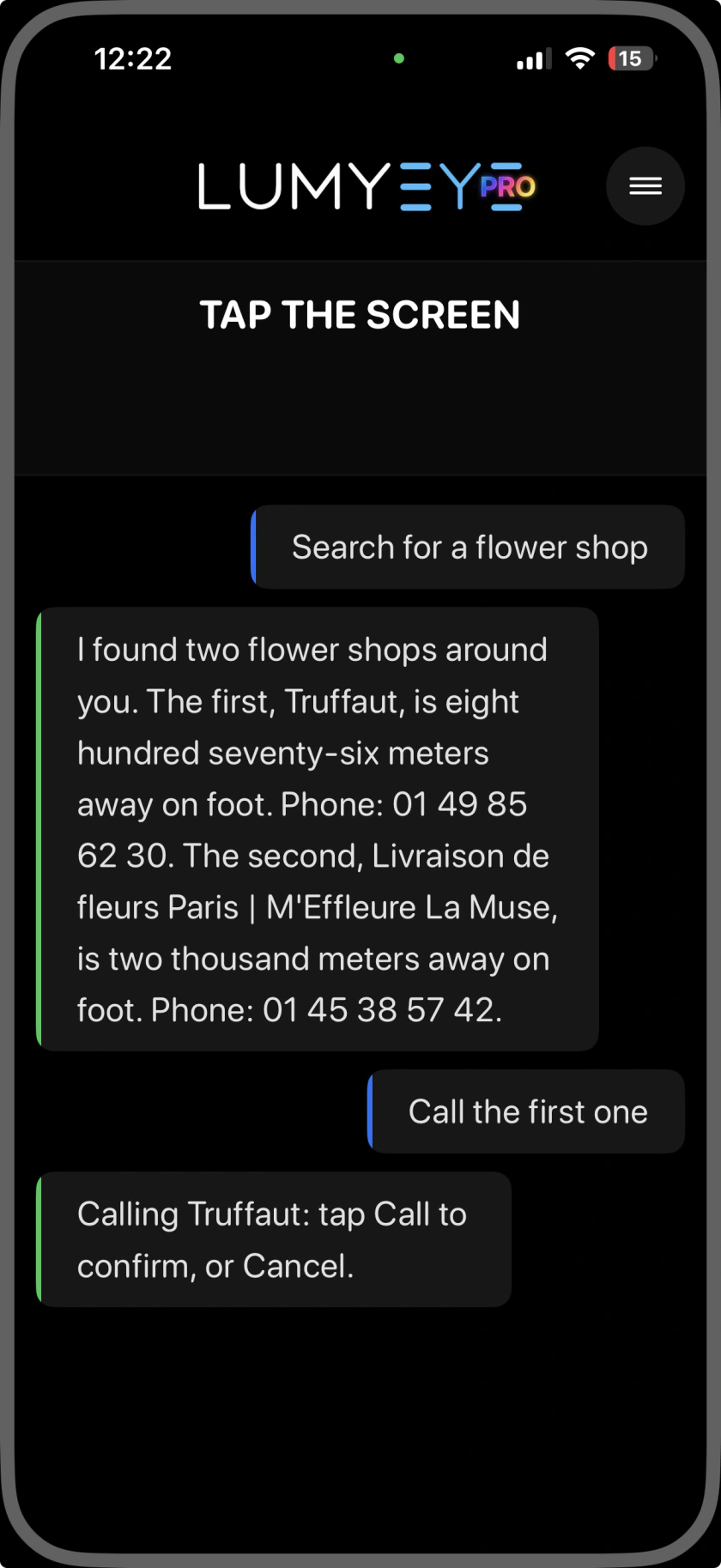
“Find a flower shop.
Call the first one.”

Pro uses web search and your location to find nearby shops. Say which one to call; your phone then asks you to confirm.

Web search + GPS Results Call

Lumyeye Pro finds two nearby flower shops. The user says Call the first one. Pro prepares a call to Truffaut and asks the user to tap Call or Cancel.
The request is spoken. Tap Call to confirm.
Watch the nearby-shop demo

Actual iPhone captures. The flower-shop example was recorded in France. The phone confirmation is illustrated below the conversation, with English labels.

A day with Lumyeye Pro

From 7 a.m. to 10 p.m., every moment counts.

Start with your morning briefing. Read a menu at lunch, handle a printed document in the afternoon, call someone you love and wind down with music. Lumyeye Pro stays useful throughout your day.

One app. A whole day
of possibilities.

Reading and scanning are only the beginning. Explore the tools that help you see, communicate, get around and organize your day.

Read, understand & save

From a printed letter to a document you can keep.

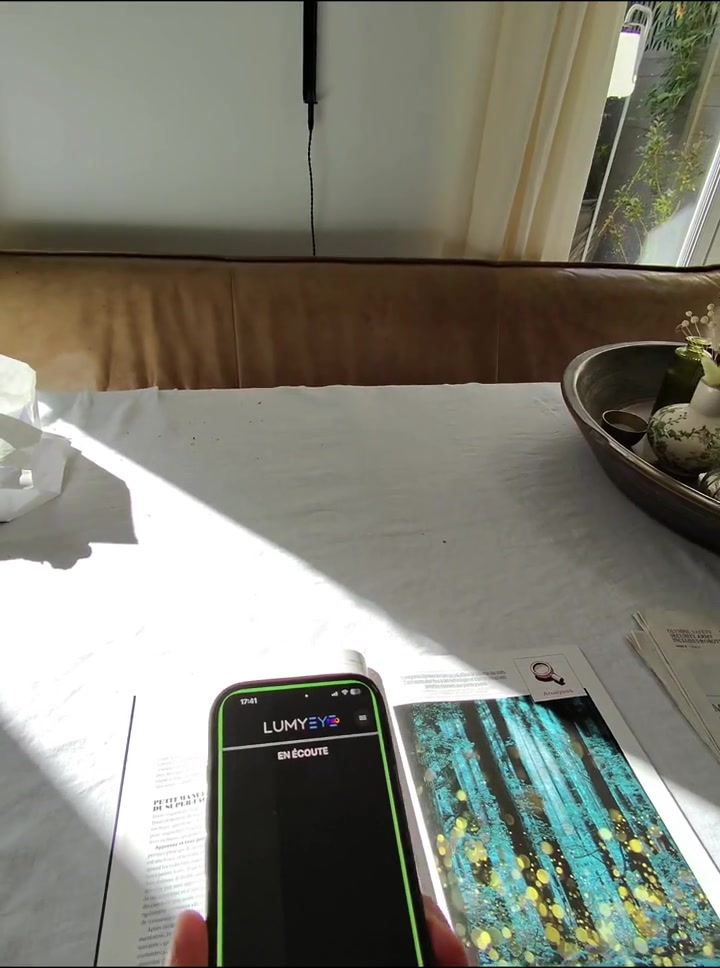
  • Read printed textRead letters, books, menus and labels aloud with OCR.
  • Scan documents & save to filesScan a document and save it in your phone’s files.
  • Summaries & follow-up questionsHear the essentials, ask about a detail and resume reading.
  • Upside-down documentsGet an alert when a page is upside down.
  • Describe your photo libraryChoose a photo from your phone and hear a description.
Explore reading with Pro

See, identify & find

Make sense of the things around you.

  • Take a photo by voiceAsk Pro to photograph and describe what is in front of you.
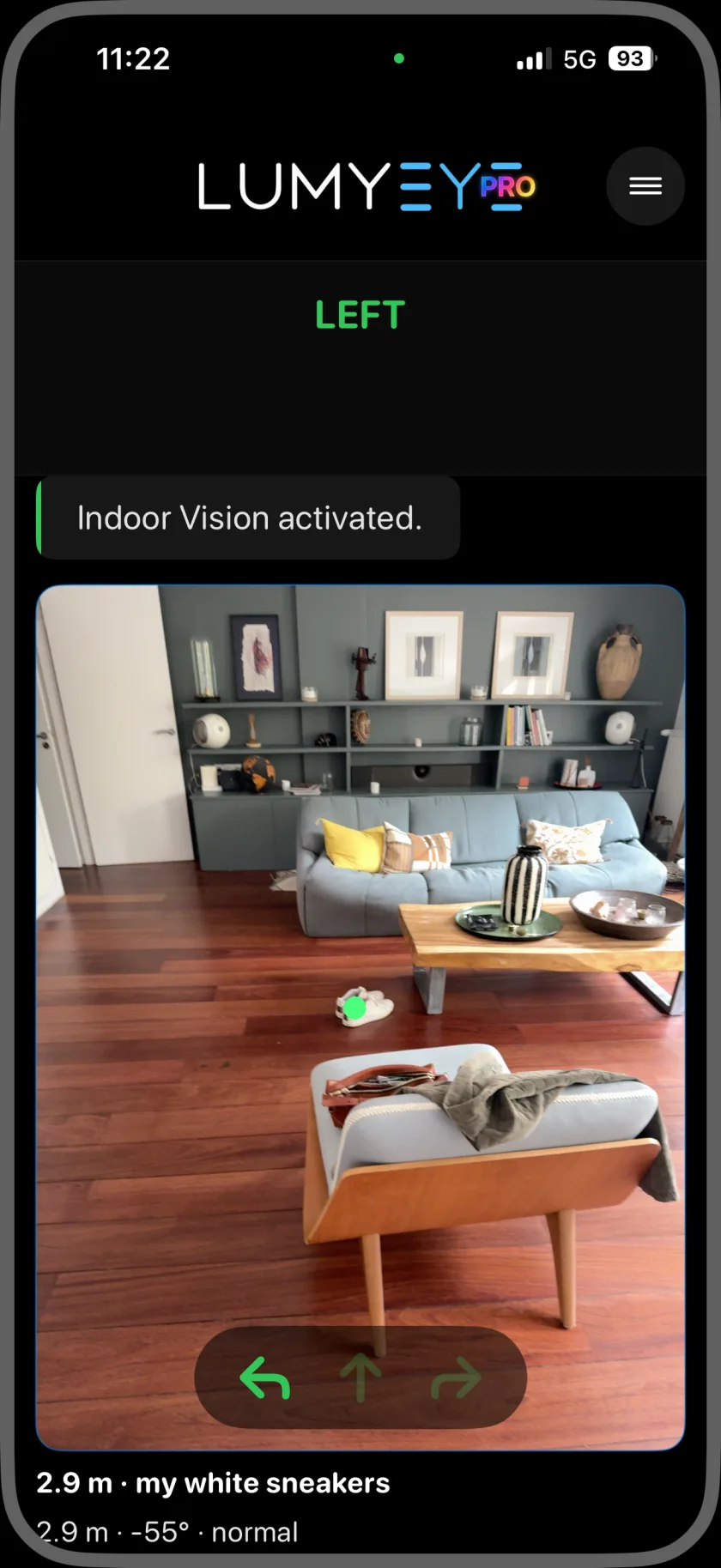
  • Live VisionAsk questions about what the camera sees during a live session.
  • Find everyday objectsLook for your bag, keys or remote through the camera.
  • Colors & banknotesIdentify the color of a garment or a banknote.
  • Light detector & flashlightCheck the light level, or turn your phone’s LED on and off.
Explore finding objects

Search, call & communicate

Keep the conversation going, with your voice.

  • Web search & nearby shopsAsk for information online or find a business near your location.
  • Phone callsAsk to call a contact or a shop, then confirm on your phone when prompted.
  • Text messagesDictate a message; your phone’s composer handles the final Send.
  • One-shot email sendingSend a dictated email with an optional photo. Received emails stay in your usual inbox.
  • Translation & conversationUse English, French, Spanish or Arabic, and ask follow-up questions.
Explore calls by voice

Know where you are

Useful information when you are out and about.

  • “Where am I?”Hear your current location without reading a map.
  • Google Maps directionsAsk for a destination and open a route in Google Maps.
  • LiDAR distanceHear the distance to an obstacle on a compatible iPhone or iPad with LiDAR.
  • Approach beepsHear beeps speed up as you approach an object, with compatible LiDAR hardware.
  • Signs & countersRead signs and labels or ask about what is in front of the camera.
Explore location and directions

Organize your day

From your first appointment to your evening music.

  • Morning briefingStart with an overview of your battery, calendar and weather information.
  • Time, weather & batteryAsk for the time, weather information or your phone’s battery level.
  • Calendar & timersCreate appointments, check your calendar and set a timer.
  • Personal memosSave, read and erase everyday information by voice.
  • SpotifyAsk for music, pause it and resume listening.
Explore everyday organization

Your phone. Your way.

The same Pro assistant, with optional accessories.

  • iPhone & AndroidUse Pro on iOS 17.6+ or Android 9+.
  • VIVE Eagle smart glassesPress the left-temple button, speak and hear Pro through the glasses. Your phone stays in your pocket.
  • AirPodsUse compatible earbuds for spoken requests and answers.
  • VoiceOver & TalkBackUse Pro with or without your phone’s screen reader.
  • Tap, speak, listenActivate or interrupt with a tap or double-tap. Voice onboarding helps you get started.
Explore Pro with VIVE Eagle

Live Vision runs in sessions with a daily allowance. LiDAR features require compatible Apple hardware. VIVE Eagle glasses and AirPods are sold separately; VIVE Eagle requires iOS 17.6+ or Android 10+.

New on Lumyeye Pro for iPhone and Android

Lumyeye Pro is now compatible with VIVE Eagle smart glasses.

Press the left-temple button, speak and hear the answer through the glasses. Your phone stays asleep in your pocket and both hands remain completely free.

France launch: orders open September 3, 2026First deliveries announced in France for September 21, 2026

Translucent Pantos VIVE Eagle smart glasses with an integrated camera
Product photo: HTC VIVE. View official source.
12 MPeye-level camera
Open-earlisten without sealing your ears
48.5 gstarting weight
Power Boostoptional on-frame battery

The Lumyeye Pro gesture

One app, one gesture. That's it.

No menus to explore. No navigating through VoiceOver or TalkBack. You tap, you speak, you listen.

Preview of Lumyeye's document summary feature

Tap

Double-tap anywhere on the screen.

No navigation. The gesture is the same everywhere.

Speak

Ask your question, naturally.

"Read this letter", "Play Sinatra", "Where am I?"

Listen

Lumyeye Pro answers. Then goes back to sleep.

Warm voice, no beep. Get back to your life.

Lumyeye Pro never listens without your consent. No always-on, no unfortunate wake word. You decide. Every single time.

See Lumyeye in action

43 published videos.

Explore 32 Pro videos and 11 Classic demos, testimonials and media features. English descriptions accompany the original recordings, which are mostly in French.

Why Lumyeye Pro

One voice assistant. So much you can do.

Reading that talks back

Printed letters, books, labels, prescriptions: Lumyeye reads aloud in under a second. And you can ask a question about it.

Live Vision

Sweep the room 360° and ask your questions on the fly.

One command for everything

With VoiceOver or TalkBack, two taps on the screen and the app listens. It returns to standby automatically with an audio cue and haptic feedback.

Natural warm voice

A natural voice that talks, pauses and picks up again, with VoiceOver on iPhone or TalkBack on Android — no relearning.

Made in France

No reselling, no ads, no history on Lumyeye's side. French team in Paris.

Instant photo with Pro

Lumyeye Pro uses optimized AI processing and takes an instant photo when you say "photo".

Your data

Understanding data retention.

AI requests, conversation context, saved files and service records follow different rules.

20

Max actions

Temporary context keeps the last 20 actions so the AI can follow the conversation. It is separate from saved files and memos.

AI

Request processing

Requests may send the content needed for a response to AI providers. Accounts, support, billing and technical logs have their own retention periods.

You

Saved files

Closing the app does not delete files and memos you have saved. Read the privacy policy for the applicable rules.

All your assistive gear, in one phone.

Reading, identifying colors, describing a scene and organizing daily tasks: Lumyeye Pro brings many useful tools together on the phone you already have.

Without Lumyeye Pro

Stack of dedicated devices

  • Dedicated printed-text reader ~ $280
  • Bills / object reader ~ $220
  • Portable electronic magnifier ~ $350
  • Dedicated color detector ~ $180
  • Human aid (delivery, reading) ~ $600 / yr
  • Telecare subscriptions ~ $240 / yr

Yearly total~ $1,870

The Lumyeye lineup

Lumyeye Pro.
More freedom, all day.

A Swiss Army knife for everyday independence. Just $2.09 more per month than Classic on monthly plans, for reading, live vision, communication and everyday organization in one app.

Also available: Lumyeye Classic. A simpler app for occasional reading, identifying objects and describing a photo. $14.90/month or $149/year. See Classic. For everyday support from morning to night, choose Pro; no Classic subscription is needed.

What our users say

The reviews that really matter.

Experiences shared with Lumyeye and translated into English. Names are anonymized where requested.

Lumyeye Pro : 5/5 — 7 ratings

Apple App Store France, checked .
Lumyeye Pro : 5/5 (7 ratings). Lumyeye Classic : 4.3/5 (25 ratings). These are French storefront ratings, not US or Google Play ratings.

My iPhone is useful again

The mail was piling up for weeks, I was ashamed. Now I say "read this letter" and it's done in 10 seconds. Honestly, thank you.

My iPhone is mine again

For two years, my iPhone was useless to me unless my husband read every screen. It was humiliating for both of us. With Lumyeye I got it all back: I dictate emails, I find my way with Maps, I listen to Spotify, I call my sister. By myself. My husband got a husband back and not an assistant — and I feel capable again. It sounds small but it's huge.

Finally an app that doesn't forget us

The voice is natural, nothing like VoiceOver. And most importantly it works in Arabic. Finally an app that doesn't forget us in the Maghreb. Thank you.

The app for my printed letters

With my AMD, the numbers on my bills became impossible to read, even with a magnifier. My granddaughter installed Lumyeye on my phone last month. Now every morning, I ask it to read printed letters with my coffee. I know what to pay, what can wait. It's become a ritual, and I'm less anxious.

My wife regained her independence

My wife has advanced glaucoma for four years. Before Lumyeye, I helped her every day: mail, medication leaflets, kitchen labels, oven displays. I'd come home from work and there was always a pile waiting. Since she's been using the app, she manages almost entirely on her own. In the evening, we talk about something other than the to-do list. For her it's a release, and for me too. We got our relationship back, not just a caregiver and a caregivee.

Live Vision mode is magical

At first I thought it was a gimmick. But honestly, I walk around town with the iPhone in my hand, and Lumyeye describes the shops, the windows, the people as I go. Yesterday I found the pharmacy I usually go to, alone. Before I always depended on my brother. Now I go out alone, and it gave me a life back. I almost cried writing this.

See all reviews →

Who it's for

Built for every condition.

Lumyeye adapts to each visual impairment: central vision loss, tunnel vision, blurred vision, spotted vision. Find the right app for your condition.

AMD Glaucoma Retinitis pigmentosa Cataracts Diabetic retinopathy Total blindness

See all conditions →

Frequently asked

What you ask us most.

Is Lumyeye Pro suitable for blind users?

Yes, fully. Lumyeye Pro is voice-driven: a tap or double-tap anywhere on screen triggers listening, and the app goes back to sleep automatically when the answer ends. Its natural voice works with VoiceOver on iPhone or TalkBack on Android, so you can keep your habits. A voice onboarding on first launch explains everything.

Does the app listen all the time?

No, never. The mic stays off until you trigger listening with a tap or double-tap. No always-on, no wake word that could fire on its own. You decide when the app listens, every single time.

Can Lumyeye Pro read my emails?

No. Lumyeye Pro sends a one-shot email: dictate a recipient and a message, with an optional photo, then send it in one action. It does not read received emails or manage your inbox. Replies go to your regular email address. Reading printed letters and documents with the camera is a separate feature.

How do you activate Lumyeye Pro?

A simple tap or a double-tap anywhere on screen. No button to find, no menu. The app listens, answers, then goes back to sleep automatically. To interrupt an answer, a single or double tap is enough. On first launch, a voice onboarding walks you through the main features.

Why choose Lumyeye Pro?

Lumyeye Pro brings reading, live vision, calls, one-shot email sending, Google Maps, music, calendar, timers and memos into one voice assistant. From your morning briefing to your evening routine, it helps you do more for yourself. It includes the essentials in Classic, plus these everyday tools, for $2.09 more per month on the monthly plans ($16.99 versus $14.90). You only need the Pro subscription.

What's the difference between Lumyeye Classic and Lumyeye Pro?

Lumyeye Pro adds Live Vision streaming (Gemini), light detector, color detector, phone calls, voice texting, send mail by voice, Spotify and Google Maps by voice, phone photos with "Open my photos", live information, calendar, timers, memos, phone battery by voice, a natural warm voice, and a optimized pipeline with instant photo. PRO is available on iOS 17.6+ and Android 9+, with VoiceOver or TalkBack.

How much does the free trial cost?

Nothing. No credit card required. Lumyeye Classic: 30 free queries. Lumyeye Pro: 40 free queries, use them whenever. No account to create on opening — your email is only requested at first payment.

Is my data sold?

No, never. No reselling, no ads. European hosting, strict GDPR compliance. Your queries stay confidential.

Does Lumyeye work offline?

Partially. Fast OCR and simple object ID work locally. Live Vision and conversational answers require an internet connection.

How do I cancel?

In one step, from the App Store. No questions asked. No retention attempts. You keep access until the end of the paid period.

Take back your independence.

40 free queries. No credit card. No account to create. Just the app.

Lumyeye Pro · $16.99/month or $169.99/year after your free queries · Cancel anytime.