Press
The small AI button sits on the left temple. One press starts Lumyeye Pro listening.

Lumyeye Pro for iPhone and Android × VIVE Eagle
Press the button on the left temple, make your request and hear the answer through the glasses. Your phone stays asleep in your pocket.
Orders open from 3 September 2026First deliveries announced for 21 September 2026
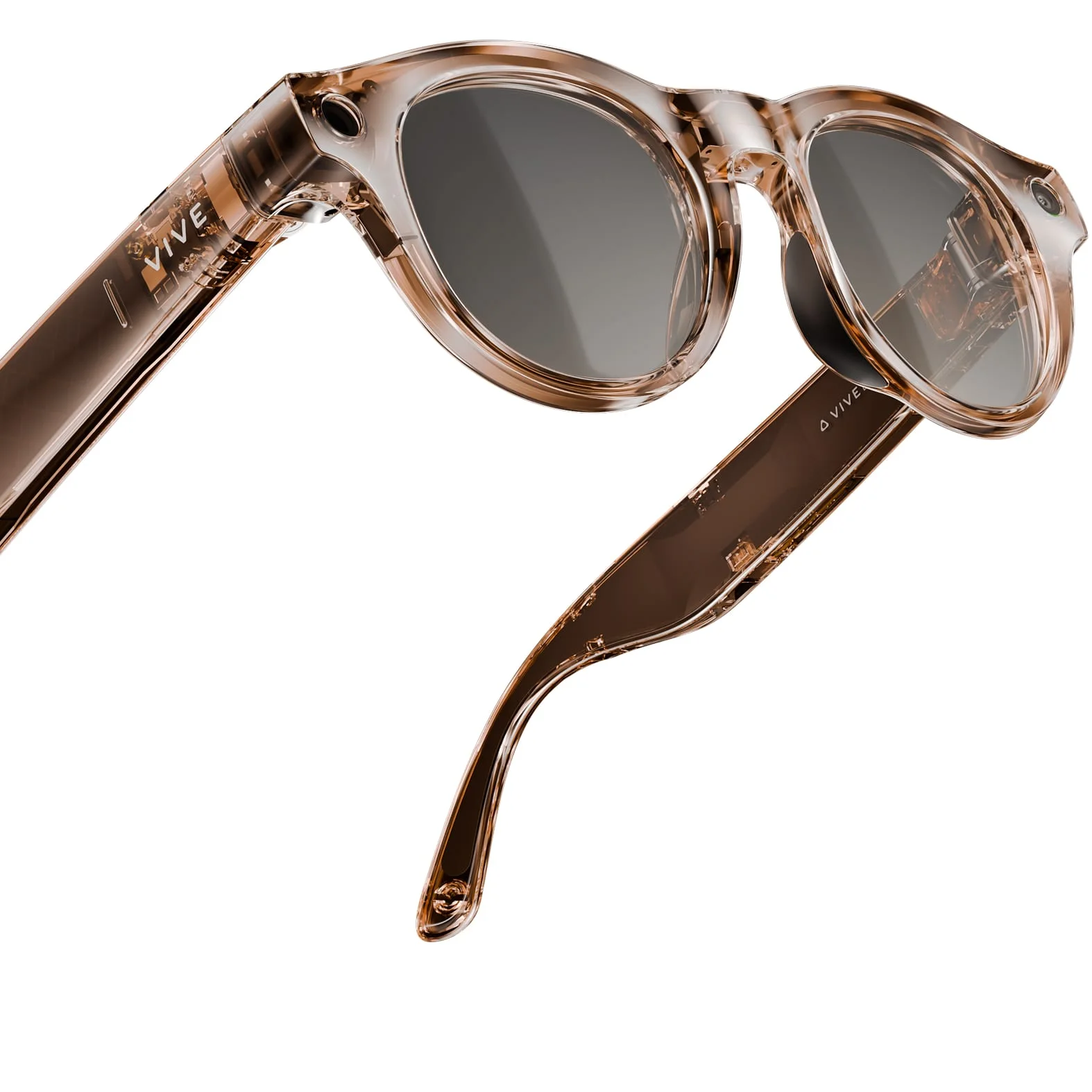
The practical change: your smartphone no longer occupies your hands. It stays asleep in your pocket while VIVE Eagle’s button, microphones, camera and speakers become the access point for Lumyeye Pro.
One tactile control replaces finding the phone and navigating its screen.
The small AI button sits on the left temple. One press starts Lumyeye Pro listening.
Speak naturally: read, describe, identify, find information or start a voice action.
The answer plays through the open-ear speakers. Press again to stop or interrupt listening.
Lumyeye Pro voice commands stay within speaking distance. Availability depends on permissions, connectivity and the sensors required by each request.
Important: a camera or AI can make mistakes. Lumyeye Pro and VIVE Eagle complement mobility aids; they never replace a white cane, guide dog, orientation and mobility training, vigilance or safety rules.
VIVE Eagle Power Boost is an optional external battery that attaches to a temple. VIVE lists an extra 120 mAh for under 8 g, with use while charging.
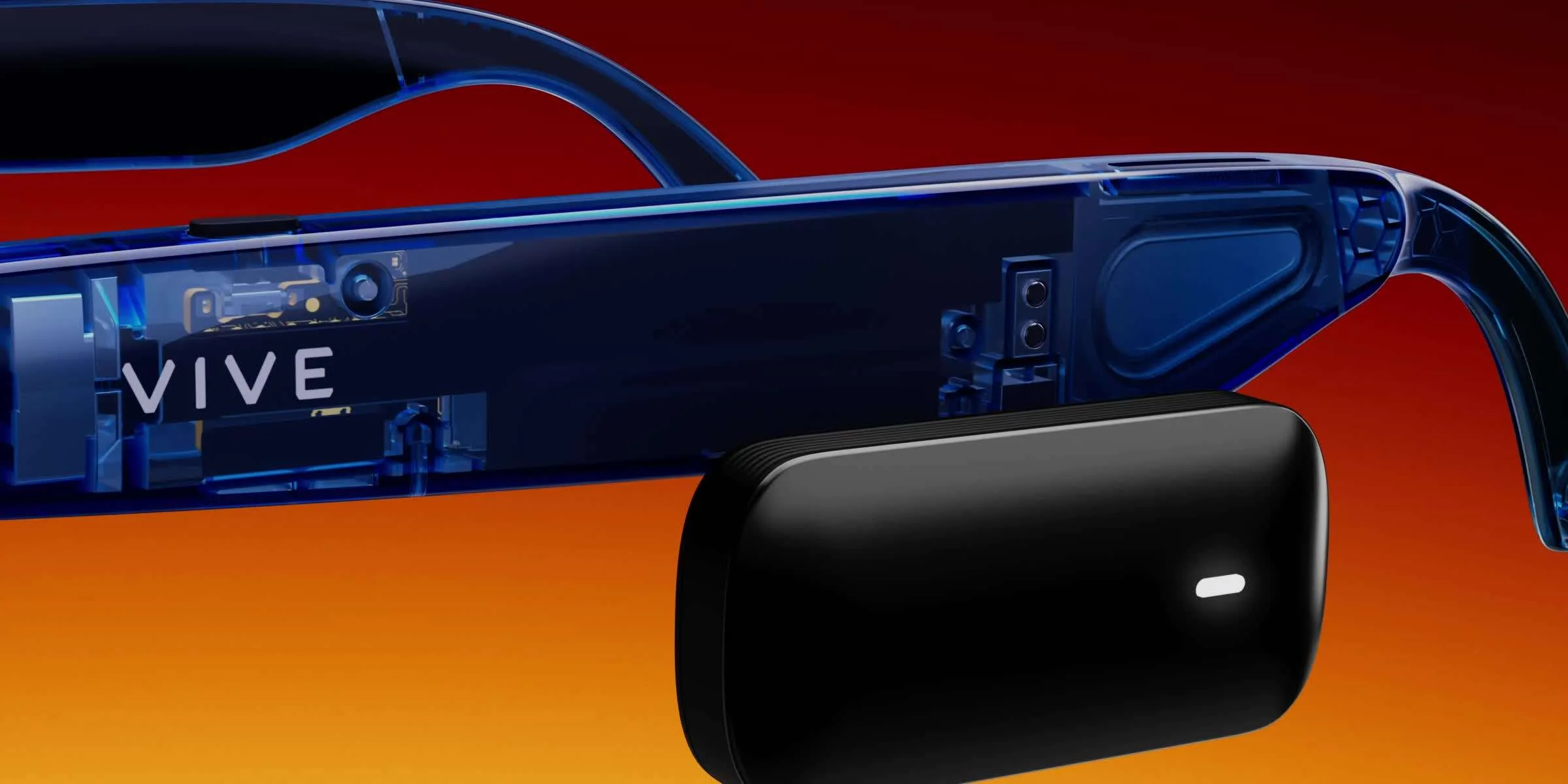
Manufacturer data checked on 3 September 2026. Actual battery life varies with use, network conditions and settings.
| Element | VIVE Eagle | What it contributes with Lumyeye Pro |
|---|---|---|
| Control | Customisable AI button on the left temple | Start and stop listening without touching the screen |
| Camera | 12 MP ultra-wide; 3024 × 4032 photos; 3K video | An eye-level viewpoint for compatible visual requests |
| Audio | Open-ear speakers and integrated microphones | Spoken questions and answers while the ears remain open |
| Weight and protection | From 48.5 g; IP54 | A frame designed for wearing and the everyday use described by VIVE |
| Battery | 235 mAh; over 36 h standby, up to 4.5 h music, over 3 h calls | Manufacturer reference figures to be adjusted for real Lumyeye Pro use |
| Phone | VIVE Connect: Android 10+ or iOS 17.6+ | The Lumyeye Pro integration on this page supports iOS 17.6+ and Android 10+ |
This table only compares published hardware facts. It is neither a ranking nor a Lumyeye compatibility statement.
| Published fact | VIVE Eagle | Ray-Ban Meta Gen 2 |
|---|---|---|
| Camera | 12 MP; 3024 × 4032 photos; 3K video | 12 MP; 3024 × 4032 photos; 3K video |
| Audio | Open-ear speakers; integrated microphones | Two open-ear speakers; five microphones |
| Additional power | 120 mAh Power Boost attached to the glasses, sold separately | Charging case listed for up to 48 hours, supplied by model |
| Published protection | IP54 | IPX4 |
Competitor source: official Ray-Ban Meta specifications, checked on 3 September 2026. Ray-Ban Meta is a trademark of its owner. Lumyeye is not affiliated with Ray-Ban or Meta and does not state compatibility with their glasses here.
Yes. The integration is for Lumyeye Pro on iPhone and Android and lets you start a request from the glasses, then hear the answer through their open-ear speakers.
Yes. Once the glasses are connected and Lumyeye Pro is ready, the hands-free flow is designed to work while the phone stays asleep in a pocket.
Press the small button on the left temple to start listening. Press it again to stop or interrupt.
VIVE lists a starting weight of 48.5 g, IP54 protection, a 12 MP ultra-wide camera, open-ear audio and a built-in 235 mAh battery.
Power Boost is an optional 120 mAh external battery that attaches to the glasses, weighs under 8 g and can power them while they are being used.
No. Lumyeye Pro and VIVE Eagle provide complementary information but never replace a white cane, guide dog, orientation and mobility skills or the user’s judgement.
Technical facts checked against official pages on 3 September 2026. Commercial dates are those communicated for the French launch.
Your phone stays in your pocket and every request stays one button away, with first deliveries announced for 21 September 2026.